Autodesk
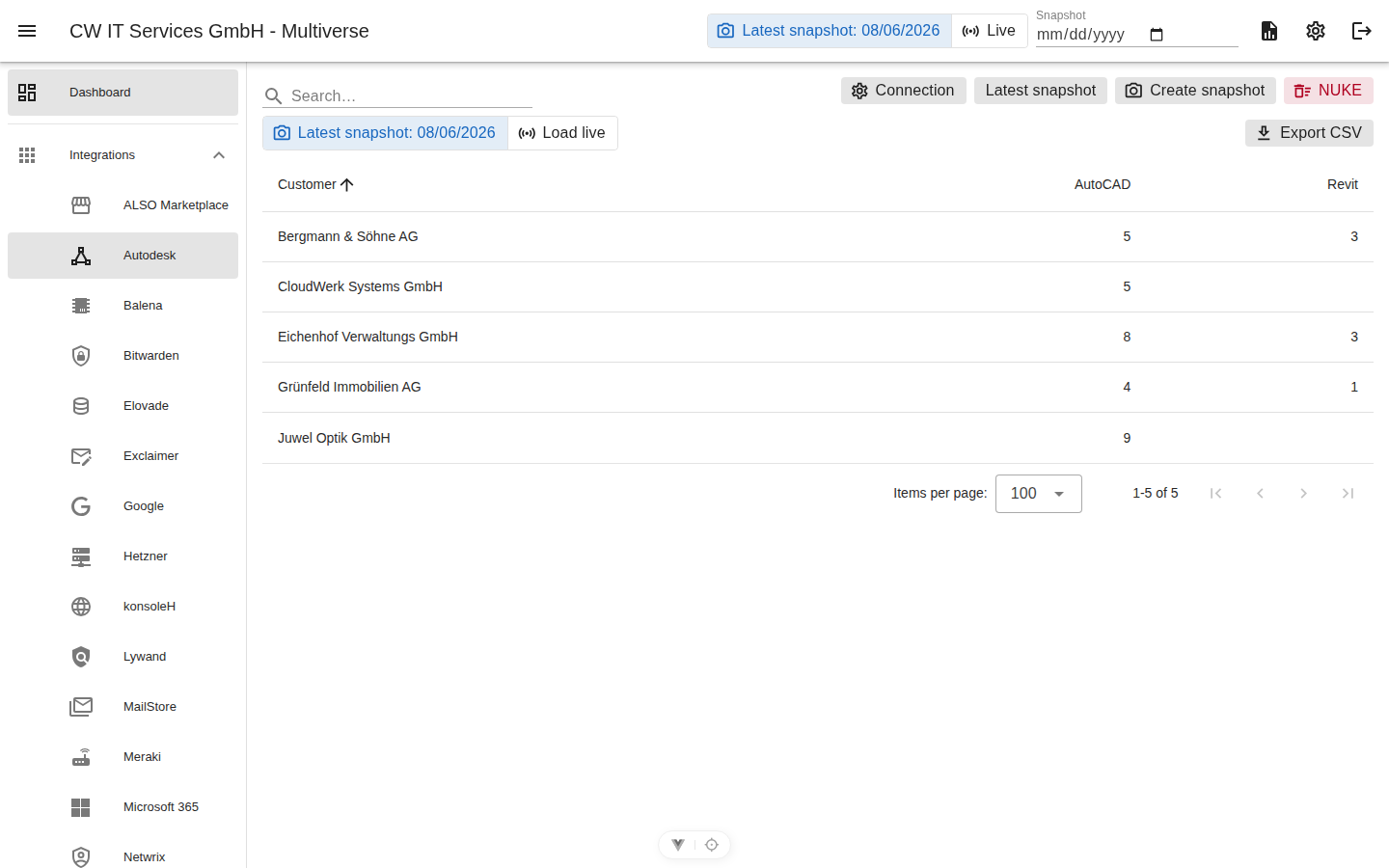
Reads the Autodesk Business Success Plan Reporting API (Insights). Every Autodesk team is a customer; for each product, the number of people who actively used it during the last 60 days is counted.
Prerequisites
- An Autodesk account that is a team admin of the customer teams and has the Premium plan (premium reporting access).
- Your own APS app at aps.autodesk.com → Applications (type "Web App" is fine) — provides the client ID and client secret.
- A Personal Access Token (PAT) at profile.autodesk.com → Security → Personal Access Tokens; under "Application" select your own APS app. The PAT is permanently bound to exactly this app.
Credentials (gear icon)
| Field | Meaning |
|---|---|
| API URL | https://developer.api.autodesk.com |
| Client ID / client secret | your own APS app |
| Personal Access Token | the PAT bound to the app |
Background: the Reporting API requires both — the app's OAuth token as Authorization: Bearer and the PAT in the ADSK-PAT header. Multiverse obtains and renews the app token automatically. The connection test cleanly distinguishes between a failed app login (check client ID/secret) and missing team access (PAT binding/premium entitlement).
Metrics
- One product = one metric (e.g. "AutoCAD", "Revit"), value = active users (usage during the last 60 days).
- The view additionally shows "Total users" (all users of the product ever recorded).
Usage-based numbers
The Insights API provides usage, not seats: licenses that are assigned but never used do not show up. A true seat count (subscriptions export) is planned as an extension.
Specifics
- Autodesk runs the reports as asynchronous jobs: the live view waits up to ~45 s per query page, the nightly snapshot up to 5 minutes. If it takes longer, the error message quotes the last response of the Autodesk job.
- Team IDs are stable → automatic rename detection applies.