Customers & Merging
Every portal writes customer names differently: “Müller GmbH”, “Mueller GmbH & Co. KG”, “mueller-gmbh”. Multiverse turns them into one customer — the foundation for clean trends and correct billing.
The customer view
The customer view lists all known customer names with their sources (which portals the name appears in) and the existing merges.
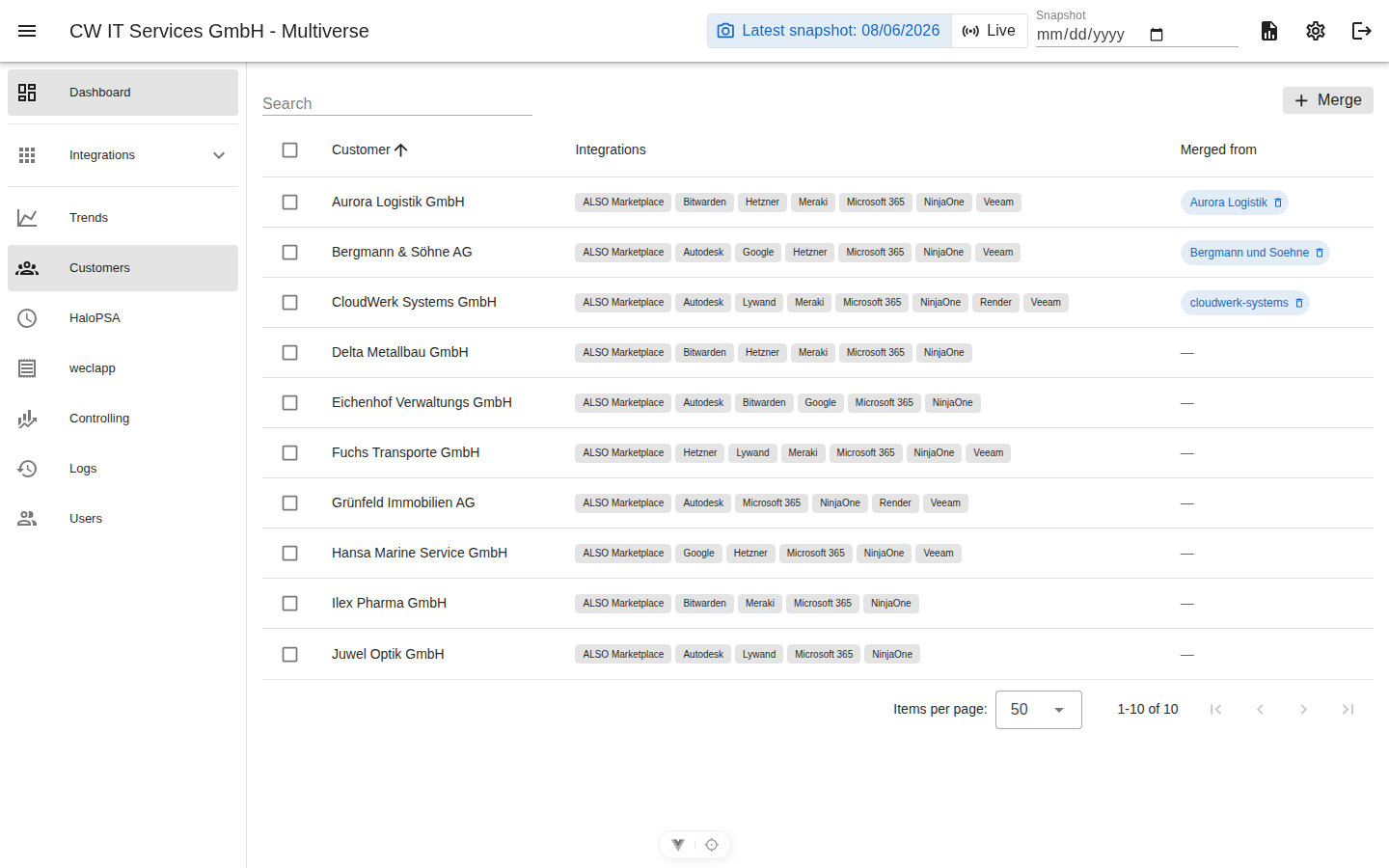
- Merge: Select names → choose the target spelling → merge. From then on, all figures run under the target name.
- Split again: Every merge is visible in the list and can be undone individually.
- Retroactive: A merge also renames the existing history — trends and billing are immediately consistent, even for past months.
The source chips help you decide which spelling should “win” (e.g. the one from weclapp, so that billing runs smoothly). A "weclapp" chip additionally shows whether the customer is mapped to a weclapp customer — green when invoicing is enabled, muted when the mapping exists but invoicing is switched off; no chip means no mapping yet.
Only without invoice mapping filters the list to customers that have no weclapp mapping at all — the count on the toggle answers “who still needs one” at a glance. A mapping with invoicing switched off still counts as mapped: that state is configured deliberately and is not the same as “forgotten”. Hidden customers are not included in the count.
Hiding customers
Some portal tenants are not really customers — ALSO departments without own services, test tenants, internal accounts. The eye icon in a customer row hides such an entry: it disappears from the customer view, the weclapp mapping search, the per-customer pickers (manual portals, Hetzner/Balena/Bitwarden mappings, exports) and the trends selection. Show hidden brings the parked entries back into the list (dimmed, with a “hidden” chip) where the same icon makes them visible again.
Hiding is display only: snapshots keep collecting the tenant’s data, and an existing weclapp mapping keeps billing — so hiding a mapped customer parks it visually without touching its invoice. Merging a hidden name into another customer drops the hide marker; the merged customer keeps the visibility of the target name. Every change is recorded in the audit log.
Automatic rename detection
Portals with stable customer IDs (ALSO AccountId, Microsoft tenant ID, NinjaOne organization, Autodesk team, among others) are protected against renames: if a portal reports a known ID under a new name, Multiverse creates the merge automatically during the snapshot — history and billing continue seamlessly under the previous name, without anyone having to hunt for “unmapped” customers. Every detection is recorded in the audit log (“Rename detected”).
The detection is deliberately conservative and does not apply when:
- the new name already belongs to another customer (no “hijack”),
- two customers switch to the same new name at the same time (ambiguous),
- a manually maintained merge exists (curated entries always take precedence),
- the old name was only an ID placeholder (then the new name is an upgrade, not a rename).
In these cases the name appears as a customer of its own and can be merged manually as usual.
Name portals
For Hetzner (label per project), Balena (organization → customer), and Bitwarden (customer name on the API key), you assign the customer name directly in the portal’s mapping — there is no third-party ID there that could be renamed. Merges automatically rename these mappings as well.
Creating customers manually
Create customer (button in the customer view) adds a customer that no portal reports (yet) — for example a new client whose services start next month, or one that is billed purely via extra articles. A manually created customer appears immediately in every customer list, can be mapped to a weclapp customer and billed via extra articles. It carries a "created manually" chip; as soon as a portal starts reporting the same name, the portal data simply joins it. Deleting the manual entry is refused while a weclapp mapping still points at the name, and merges rename manual customers like any other source.
Interaction with billing
The weclapp customer mapping links the (merged) Multiverse customer to the weclapp customer. Merges automatically move all weclapp links (mapping, overrides, extra articles, invoice tracking) along with them.